
Pluto
Open a reactive Julia notebook with suite selectors, explicit launch/cancel controls, saved reports and plots. The downloadable notebooks below contain their experiment definitions; use them through Pluto's notebook interface.
Install and open a notebook
Install Pluto in a separate Julia environment, then start it:
import Pkg
Pkg.activate(joinpath(homedir(), ".julia", "environments", "perfchecker-pluto"))
Pkg.add(Pkg.PackageSpec(name = "Pluto", version = "1.0.4"))
using Pluto
Pluto.run()
Use Julia 1.12+ for the supplied examples. Download one file, then select Open a notebook in Pluto's browser interface and choose that file.
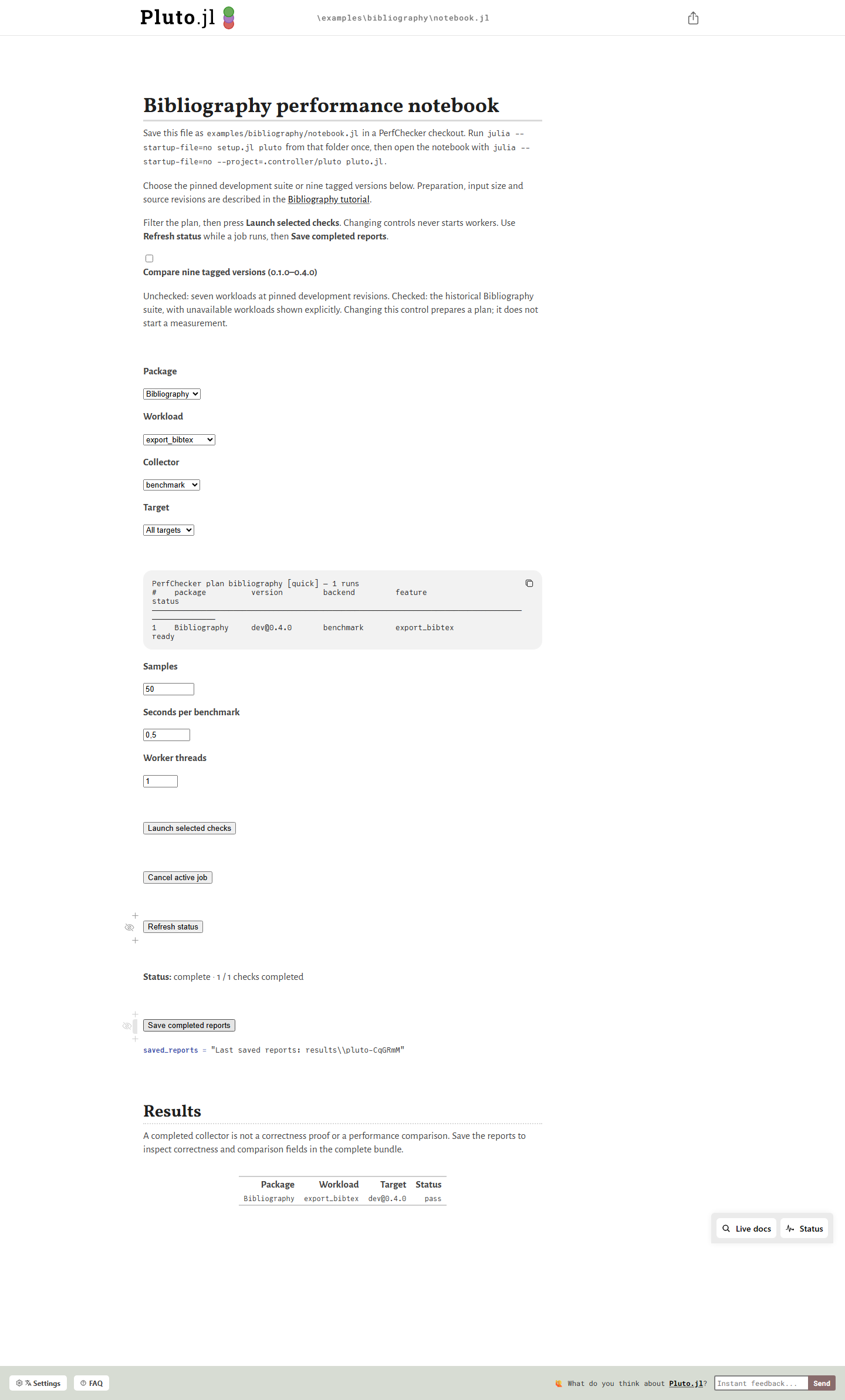
- Bibliography notebook (.jl) — export workloads and a nine-release history.
- DataStructures notebook (.jl) — container workloads, correctness checks and release comparisons.
- Oxygen notebook (.jl) — HTTP workloads, correctness checks and release comparisons.
On first opening, review the notebook's setup cell and preparation instructions. Dependency and source preparation needs Git and internet access. Select the package, workload, collector and targets; review the plan before choosing Launch selected checks. Changing a selector requests no measurement. Pluto still evaluates reactive cells, including any explicit setup cell.
Use Refresh status, Cancel active job and Save completed reports. A completed report preserves evidence independently of the notebook source; Pluto saves cell edits into the .jl file. Keep both when retaining an experiment.
Generate a notebook for your suite
Prepare a separate notebook project containing PerfChecker, PerfCheckerPluto 1.0.1, PlutoUI and your suite's collectors. PerfCheckerPluto 1.0.1 is registered in General:
import Pkg
Pkg.activate("perf/notebooks")
Pkg.add(["PerfChecker", "PerfCheckerPluto", "PlutoUI"])
Published Core has a known ARM import limitation. From your package root, using that notebook project:
using PerfChecker, PerfCheckerPluto

notebook = prepare_pluto_dashboard("perf/notebooks/performance.jl";
    suite_path = abspath("perf/suite.jl"),
    project = dirname(Base.active_project()))
launch_pluto_dashboard(notebook)
Generation writes source and refuses an existing destination by default. Launching opens Pluto and evaluates its cells; checks use the notebook's explicit launch action. Without a suite path, the generator creates a saved-report reader. write_investigation_notebook supplies the investigation variant.
VS Code can create and reopen these native .jl notebooks inside the editor. Keep its Pluto project separate from an HTTP 2 MCP controller.