REPL and Pluto
Use the REPL for a short command-driven session. Use Pluto to keep an editable notebook with controls and plots.
REPL
From examples/bibliography/:
julia --startup-file=no --project=.controller/core repl.jlOr drive the API yourself:
using PerfChecker

suite = load_software_suite("suite.jl")
selected, overrides = configure_suite_repl(suite; profile = :quick)
result = run_suite_repl(selected; overrides, strict = false)
The configurator filters packages, features, check types and targets. It prints the resolved plan before running.
For terminal-native summaries, add UnicodePlots to the controller:
using UnicodePlots
bundle = read_run_bundle(bundle_directory)
plot_id = first(plot_catalog(bundle))["id"]
terminal_plot(bundle, plot_id)
Terminal plots are a compact fallback. They do not replace hover, linked selection or source drill-down in the graphical views.
Pluto
Download the runnable notebook:
Download the Bibliography notebook (.jl)
Save it in examples/bibliography/ and launch it:
julia --startup-file=no setup.jl pluto
julia --startup-file=no --project=.controller/pluto pluto.jl
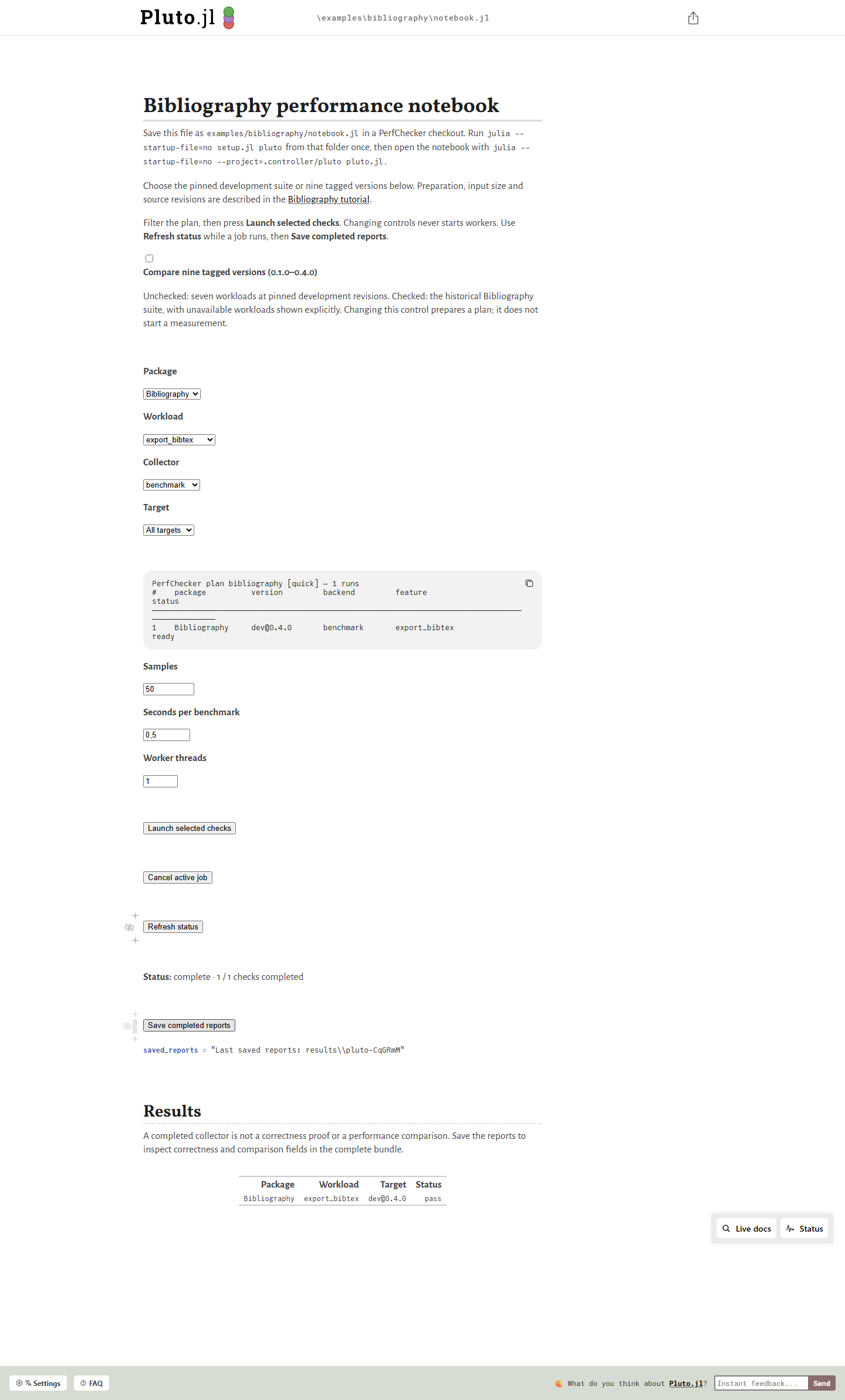
The notebook has explicit Launch, Cancel, Refresh and Save controls. Opening it, changing a selector or reloading the page starts no measurement.
To generate a notebook for your own suite:
using PerfChecker, PerfCheckerPluto

notebook = prepare_pluto_dashboard(
    "perf/PerfCheckerDashboard.jl";
    suite_path = "perf/suite.jl",
    factory = :build_suite,
    project = dirname(Base.active_project()),
)

launch_pluto_dashboard(notebook)
The controller environment must contain PerfChecker, PerfCheckerPluto, PlutoUI and the collectors the suite uses.
Measurements run in fresh workers. The notebook shows their status and result rows. Commit a generated notebook only when it is meant to be a maintained interface; otherwise regenerate it.
Recorded examples
Download the runnable Pluto notebook
Next
Plots explores saved bundles visually.